In ProgressURGENTDone
Colour tells the whole story
Tag every action item — In Progress, Urgent, Done, or wording of your own. One look down the list tells you what is moving, what is stuck and what must be closed out.


New · The AgendaWorx Action Tool
Assign it, tag it, chase it, evidence it. The AgendaWorx action tool turns a flat list of resolutions into a living record that secretaries and trustees work in together, right up to the next sitting.
Why secretaries love it
Every resolution becomes a live item with an owner, a status and a full history. One look tells you what is moving, what is stuck and what must be closed out.
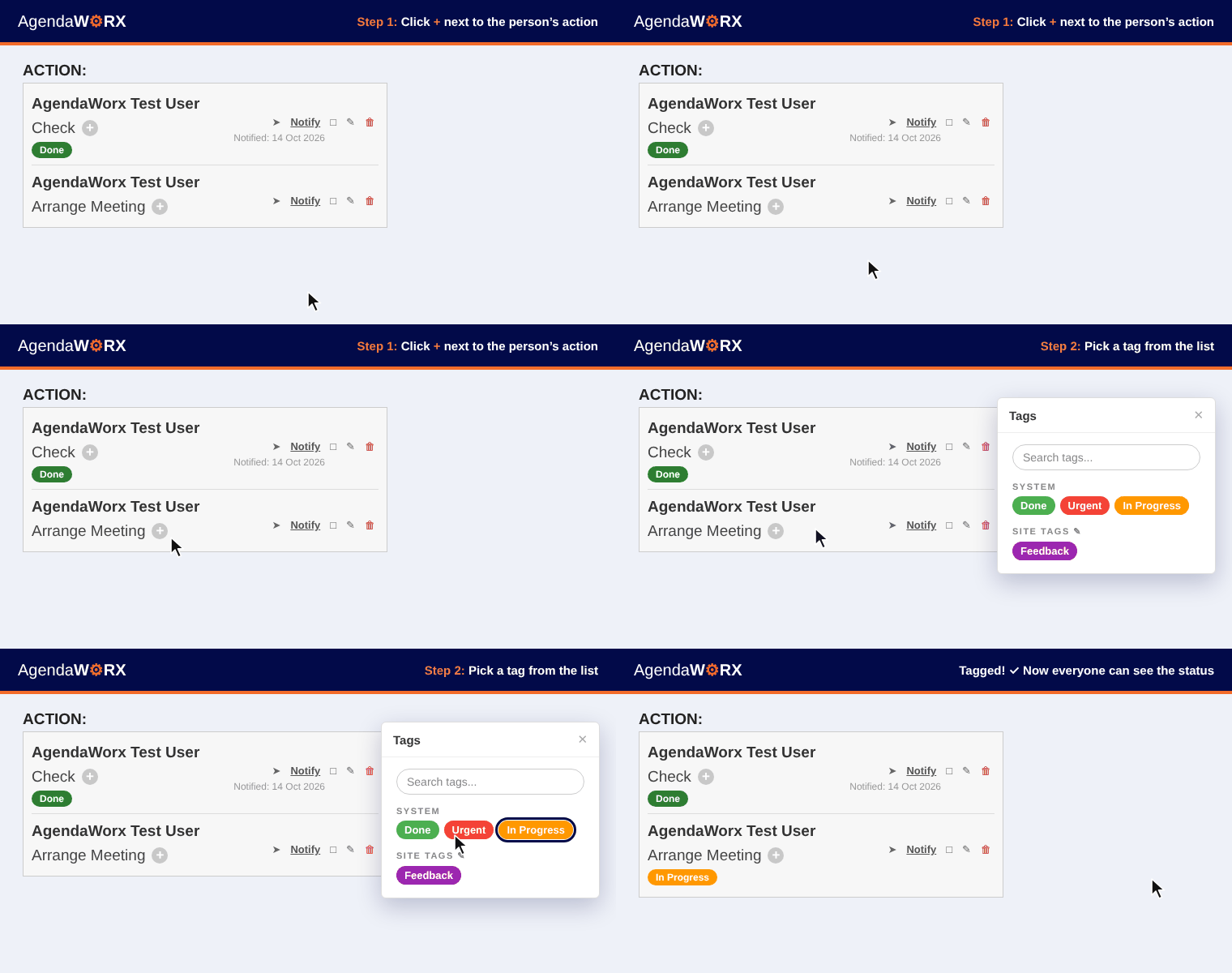
Tag every action item — In Progress, Urgent, Done, or wording of your own. One look down the list tells you what is moving, what is stuck and what must be closed out.
Trustees and colleagues comment on the items assigned to them and move their own tag from In Progress to Done. A red notification icon appears the moment a comment lands.
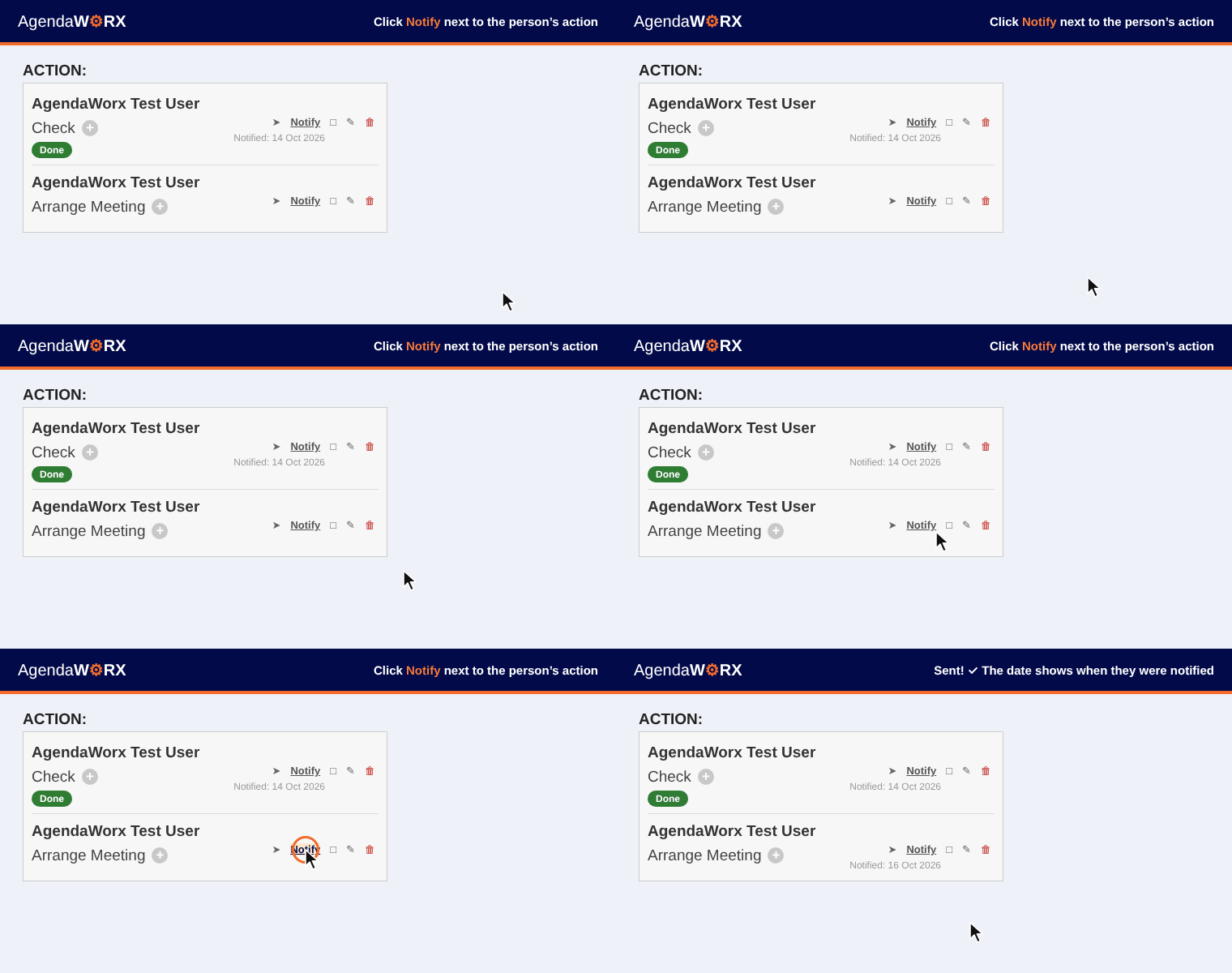
Send a reminder straight to the person responsible — a clickable link to every item they were actioned on, as many times as you need. Every send is logged.
Where to find it
Open your agenda and, under Prepare Agenda For Release, click Step 2: Track Item Progress. Every action item from the meeting is waiting for you.

How it works
Watch each step in action.
Click + next to the person’s action and pick a tag from the list.
Click Notify to send the person a reminder with a link straight to their item.
Click the comment icon, type your note and click Post.

The Action Item Report
Click Action Item Report to view it, or Download Report to file a copy with the minutes. Assignment and tag history, every reminder sent, due dates and completion status — the full record of an action item, at your fingertips.
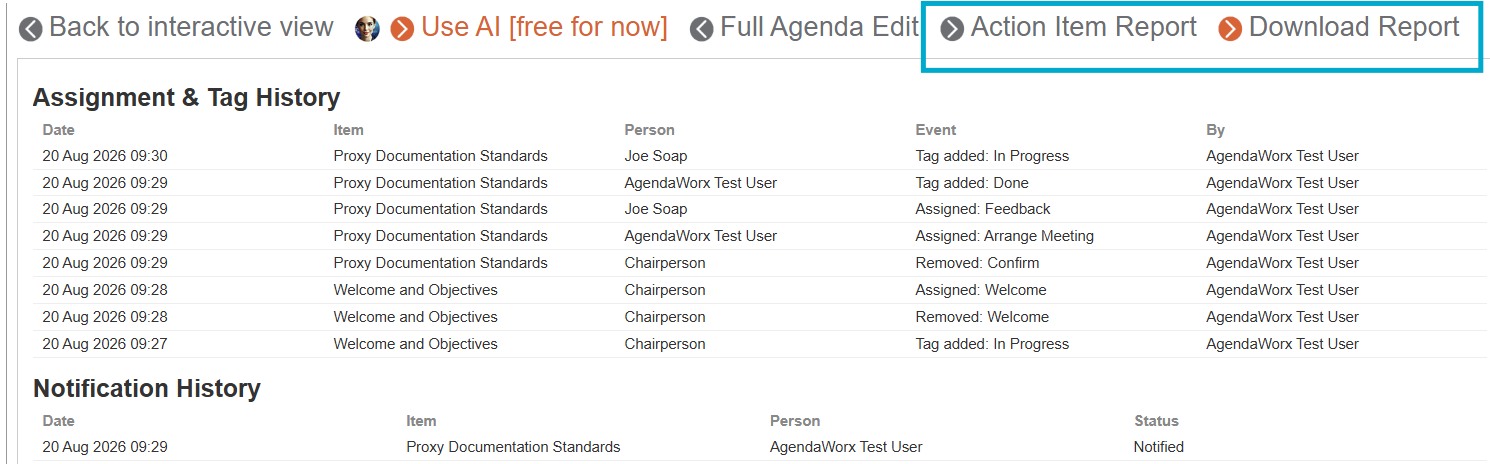
Every change, time-stamped and attributed to the person who made it.
Proof of each reminder sent, to whom and on which date.
See what was due and what is marked completed.
Get started in four clicks
Click + to tag each person
Click Notify to send a reminder
Open Step 2: Track Item Progress
Open the Action Item Report


