New · Live from 15 October 2026

Meet the Smart Editor. One click. Perfect agendas.

Work on your whole agenda or minutes on one screen and format everything with a single button. Every new agenda created from 15 October 2026 opens in the Smart Editor automatically.

Show me how
What’s new

Less fiddling. More finished.

Everything you need to get a polished agenda or set of minutes out the door, fast.

One screen

Edit every agenda item together in Edit All Agendas.

One FORMAT button

Format your entire agenda or minutes in a single click.

Skip Format

Leave any item exactly as it is when you click Format.

See every page break

Know exactly where each page ends before you publish.

Landscape or portrait

Add landscape or portrait page breaks inside any item.

Save All

One button saves all your work, across every item.

Short PDFs

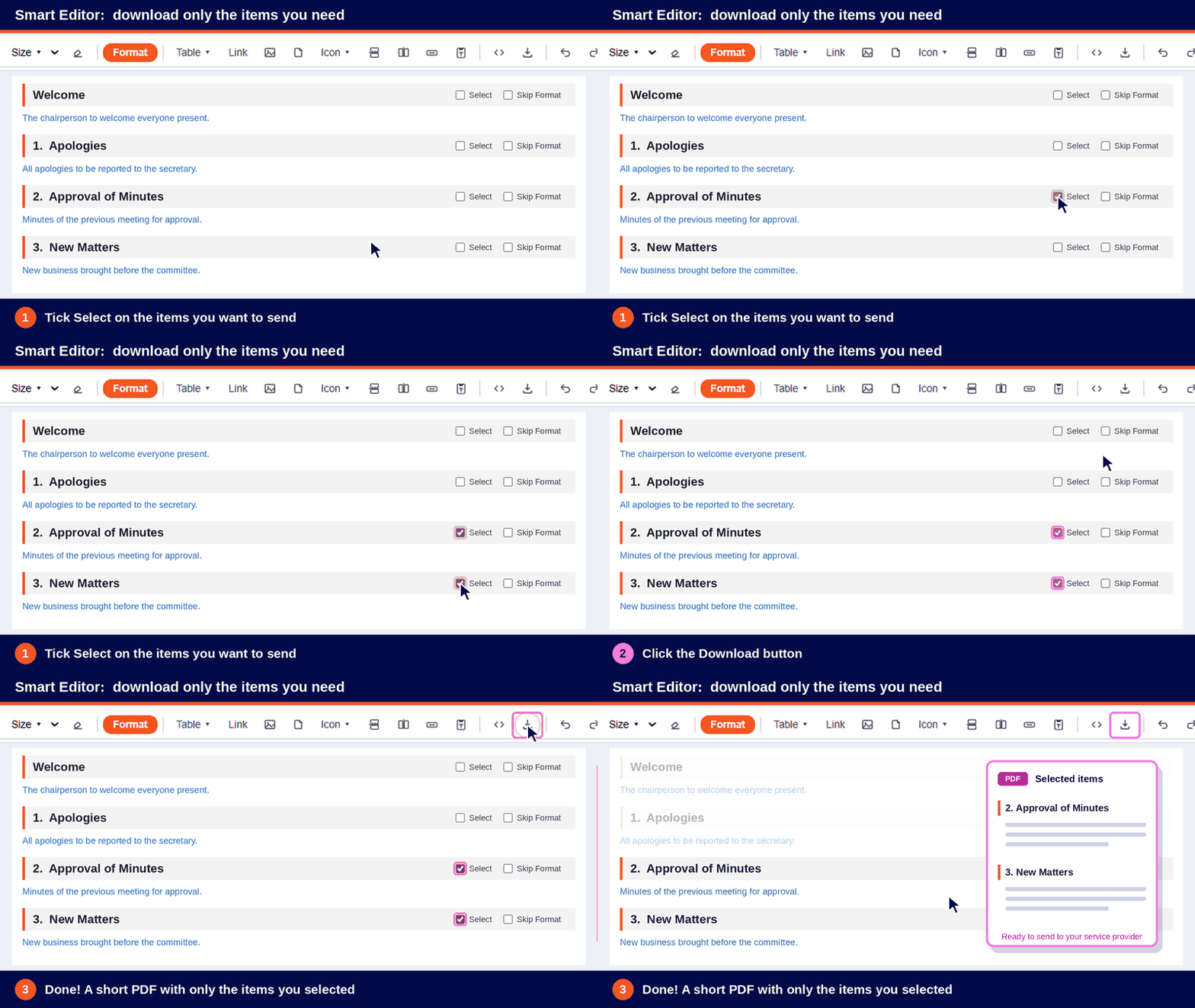
Select items and download a PDF with only those, ideal for service providers.

Pro formatting

Multilevel bullets & numbering (even in tables), advanced tables, borders in your colours and spacing control.

How do I find it?

It’s right under Step 1

  1. Open your meeting in AgendaWorx.

  2. Go to Prepare Agenda For Release.

  3. Click Step 1: Edit Full Agenda. Your whole agenda opens in the Smart Editor.
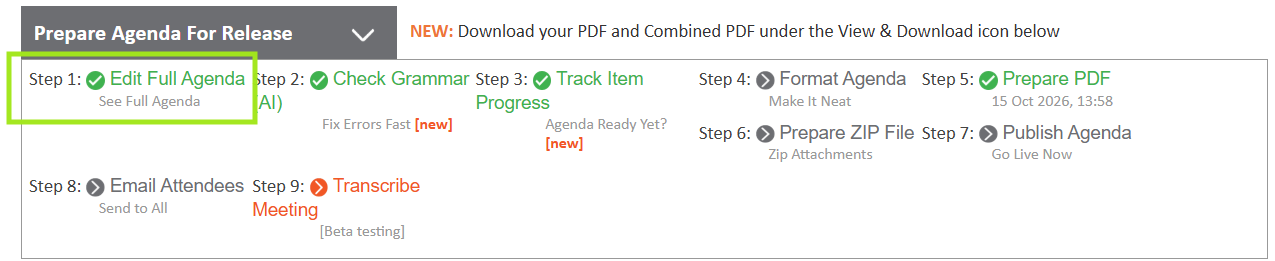
The Prepare Agenda For Release panel with Step 1: Edit Full Agenda highlighted
See it in action

Your new tools at a glance

Smart Editor toolbar with the orange Format button, page break buttons and download button
Click the orange Format button to format everything, add page breaks and download a PDF of the items you selected.
Smart Editor toolbar with Bullet Style, Number Style and Spacing
Choose Bullet Style and Number Style for multilevel lists, and control Spacing between lines and sentences.
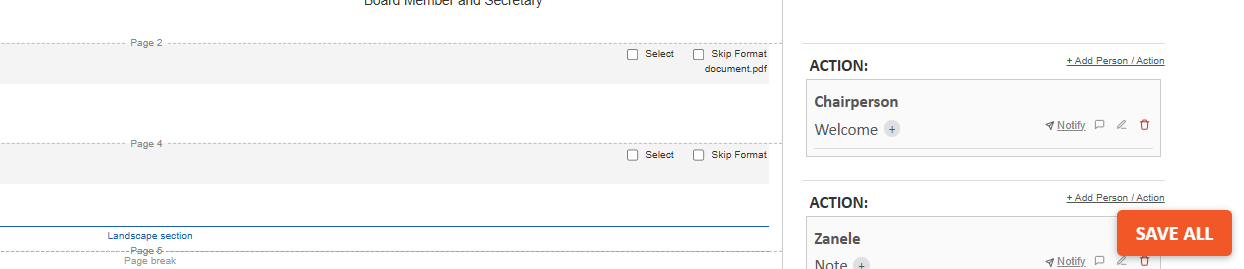
The Smart Editor showing page break lines, Select and Skip Format boxes, a landscape section and the Save All button
See every page break, tick Select for a short PDF or Skip Format to leave an item as is, then hit SAVE ALL. Done!
Watch how

Two clicks. That’s it.

See how quickly you can add a landscape page and send a short PDF.
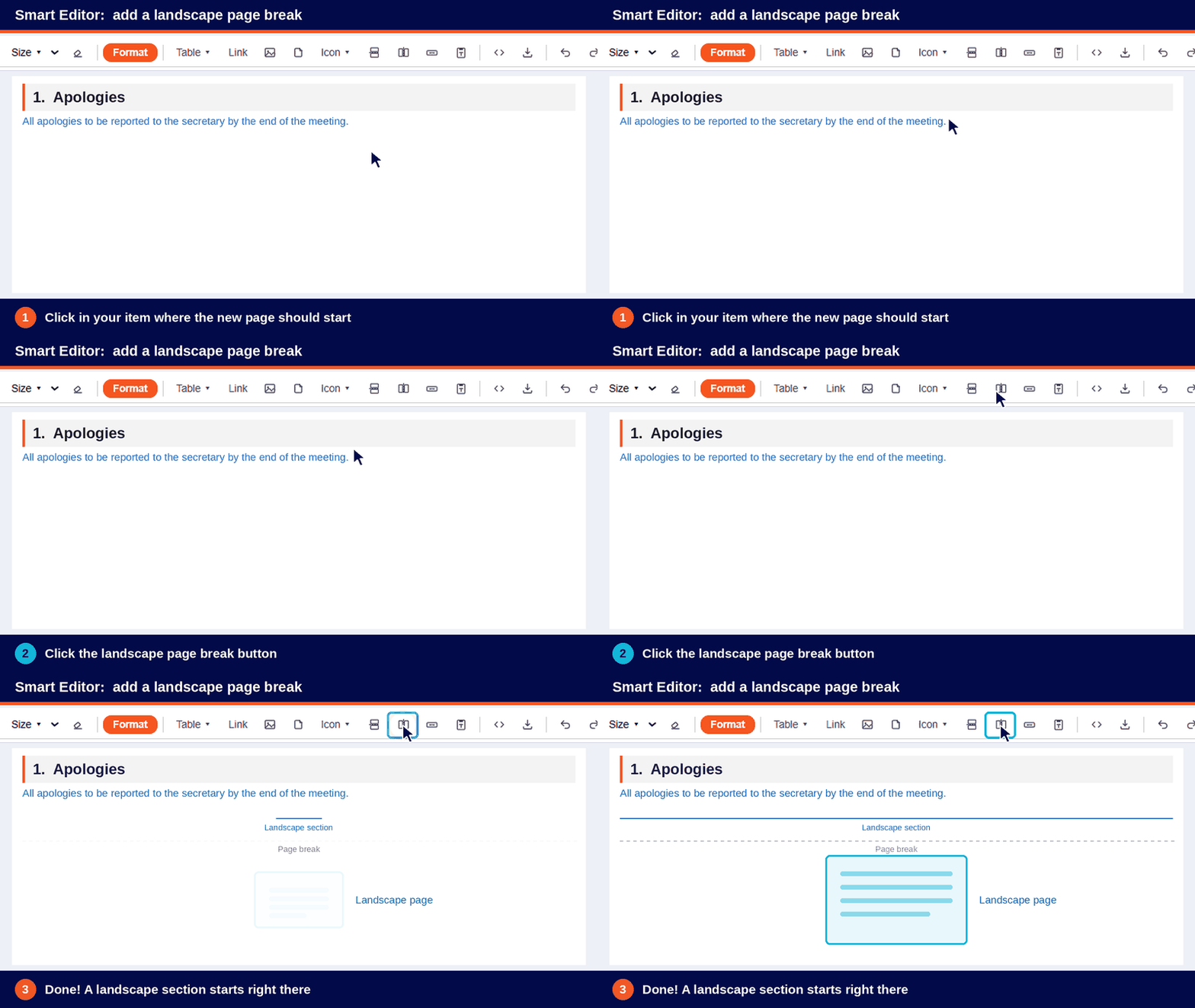
Animation: click in an agenda item, click the landscape page break button, and a landscape section is added
Add a landscape page. Click where the new page should start, then click the landscape page break button.
Animation: tick Select on two agenda items, click Download, and a PDF with only those items is created
Download only what you need. Tick Select on the items you want, then click Download for a short PDF.

Want it for your other agendas and minutes too?

New agendas use the Smart Editor automatically. To switch it on for your existing agendas and minutes, just live chat with us. Real people, any question, anytime.

Live chat with us


How I can save time and money preparing for meetings? - Tell me more:

 
Name
Email
How can we help?
Powered by inSite
Sitemap | Disclaimer | Privacy Policy | Terms of Use