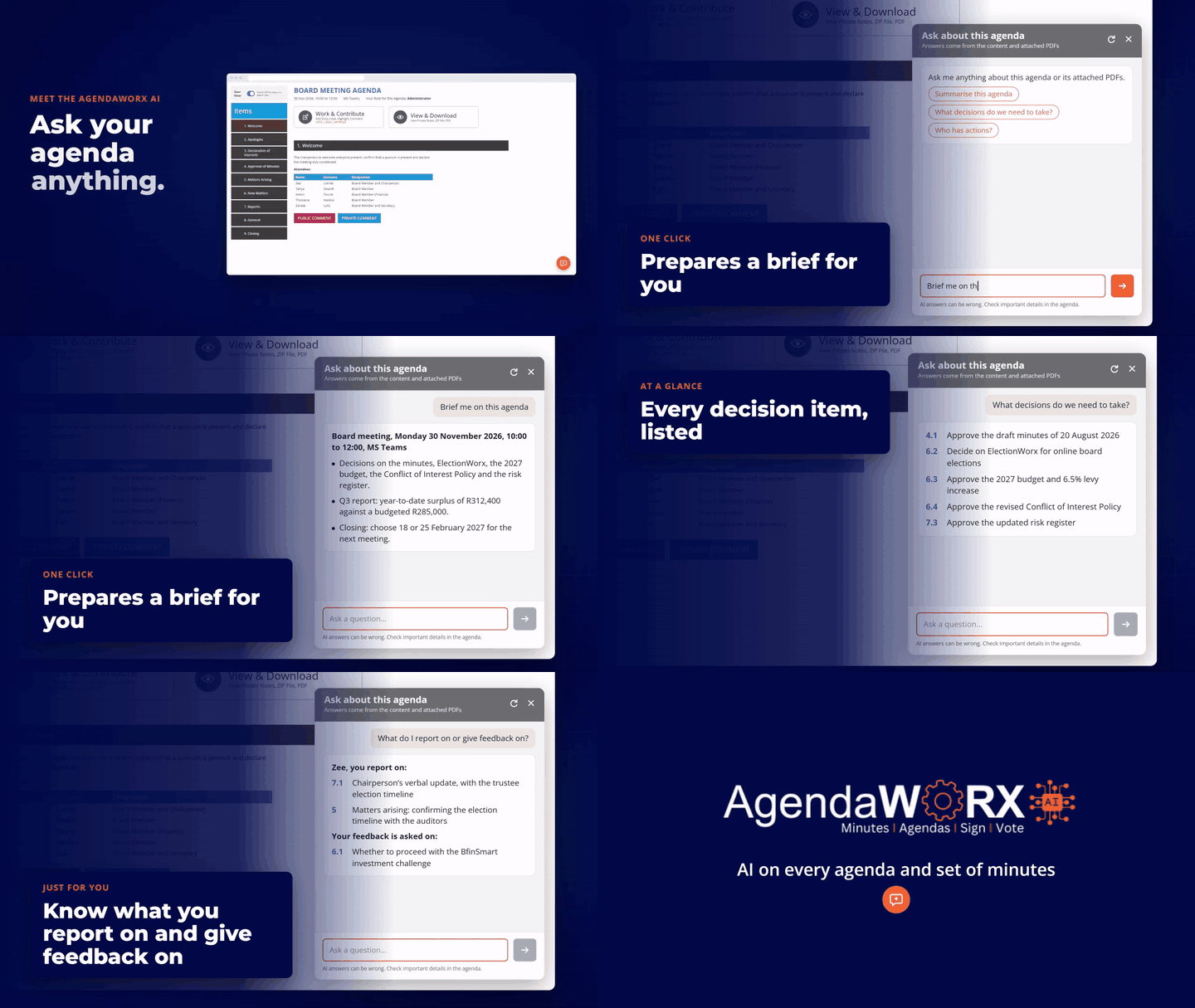
Meet AgendaWorx AI

Ask your agenda anything.

Briefs, decisions and your own items, straight from the agenda and its PDFs. One click and you know what the meeting is about, what you'll vote on and what's expected of you.

Animation: on a board meeting agenda, AgendaWorx AI prepares a one-click brief, lists every decision item, and tells the member what they report on and give feedback on

AI on every agenda and set of minutes.

Reading the whole pack the night before Hunting for decision items Missing what's yours Just ask your agenda.
What it does for you

Everything you need from the pack, on one screen.

AgendaWorx AI reads the agenda and every attachment, then answers in plain words.

A brief in one click

The decisions required, key report figures and discussions required, in a quick summary.

Every decision, listed

Each item that needs your approval, with its agenda number, so nothing slips past you.

Just for you

It knows what you report on and where your feedback is asked, and lists those items by number.

Reads the PDFs

Answers come from the agenda and its attachments, including figures from the financial reports.

AgendaWorx AI at a glance

AgendaWorx AI lets you ask your agenda anything. It sits on every AgendaWorx agenda and set of minutes. Click the orange AgendaWorx AI button, or “Brief me on this agenda”, to open the “Ask about this agenda” panel. Answers come from the agenda content and the attached PDFs. In one click it prepares a brief of the meeting, it lists every decision item with its number, and it tells you which items you report on and where your feedback is asked. For a demo, email support@agendaworx.com.

What it is
An AI assistant built into AgendaWorx (Minutes, Agendas and their attachments). It answers questions about the agenda and its attachments or minutes you have open. No need to open the attachments or even go to those agenda / board pack items.   The AgendaWorx AI extracts the information for you, in the way you want it.
Who it is for
Board members, trustees, committee members and company secretaries preparing for a meeting.
Where to find it
The orange AgendaWorx AI button at the bottom right of every agenda and set of minutes, with the “Brief me on this agenda” prompt beside it.
What it reads
The agenda or minutes content and every attached PDF.
What you can ask
“Brief me on this agenda”, “Summarise this agenda”, “What decisions do we need to take?”, “Who has actions?”, “What do I report on or give feedback on?”, or anything else in your own words.
Accuracy
AI answers can be wrong. Check important details in the agenda.
Help and demos
Email support@agendaworx.com.
See it in action

Three questions. Fully prepared.

Here's AgendaWorx AI at work on a real board meeting agenda for 30 November 2026.

1

One clickPrepares a brief for you
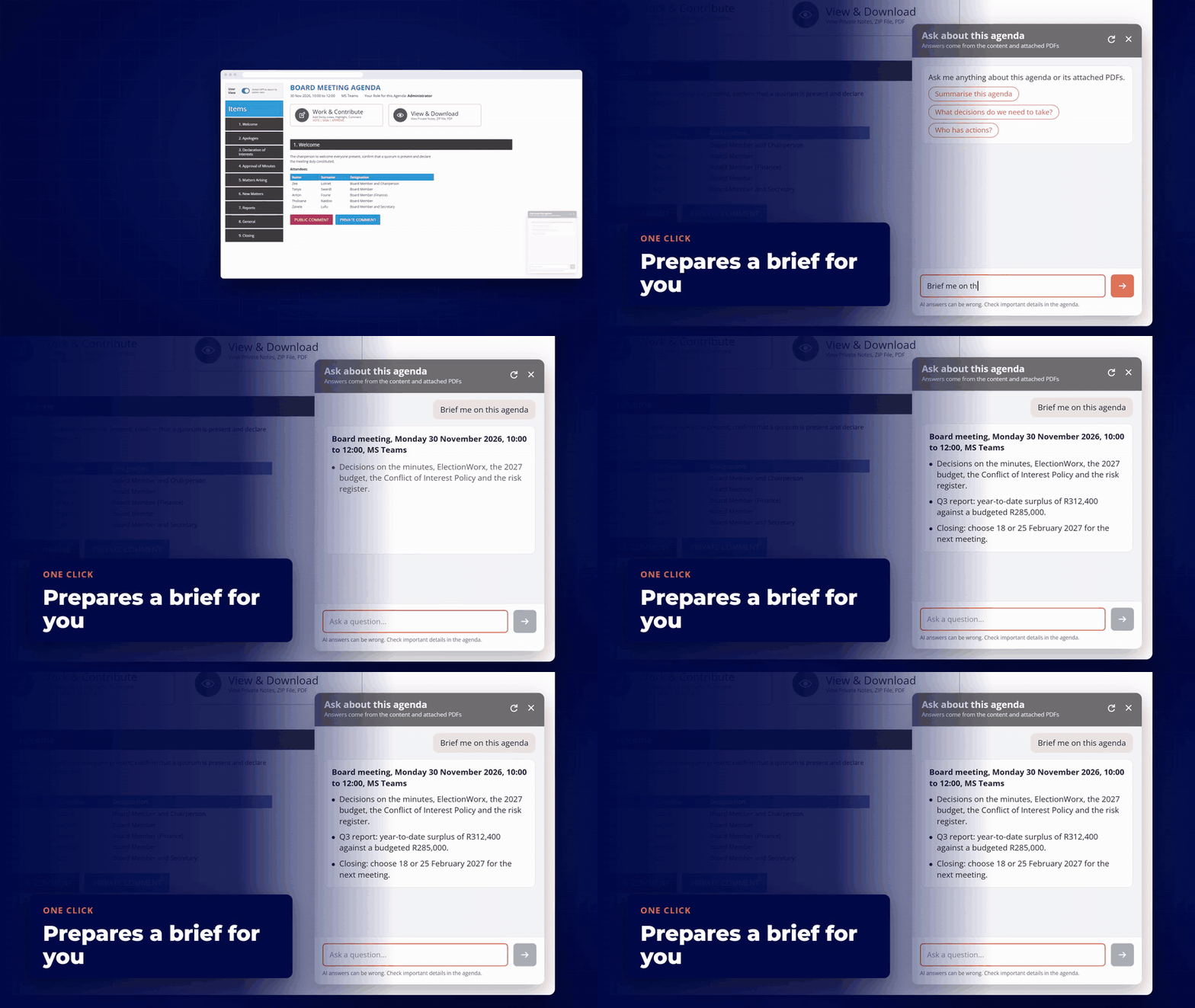
Animation: the member sends Brief me on this agenda and AgendaWorx AI writes a short brief of the board meeting

Click Brief me on this agenda and AgendaWorx AI reads the agenda and its attachments, then gives you the meeting in a few lines:

  • When and where: Monday 30 November 2026, 10:00 to 12:00, MS Teams.
  • Decisions: the minutes, ElectionWorx, the 2027 budget, the Conflict of Interest Policy and the risk register.
  • Key figures: the Q3 report's year-to-date surplus of R312,400 against a budgeted R285,000.
  • Closing: choose 18 or 25 February 2027 for the next meeting.

Try: “Brief me on this agenda.”
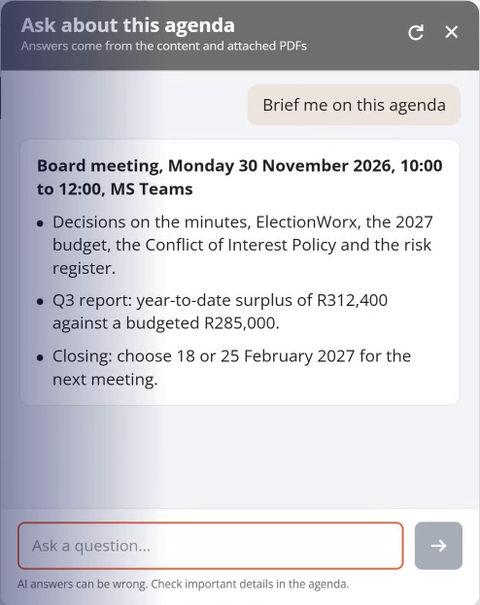
AgendaWorx AI panel showing the brief: board meeting Monday 30 November 2026, 10:00 to 12:00, MS Teams; decisions; Q3 surplus; closing dates
The brief, up close
2

At a glanceEvery decision item, listed

Animation: the member picks the suggested question What decisions do we need to take, and the five decision items appear with their numbers

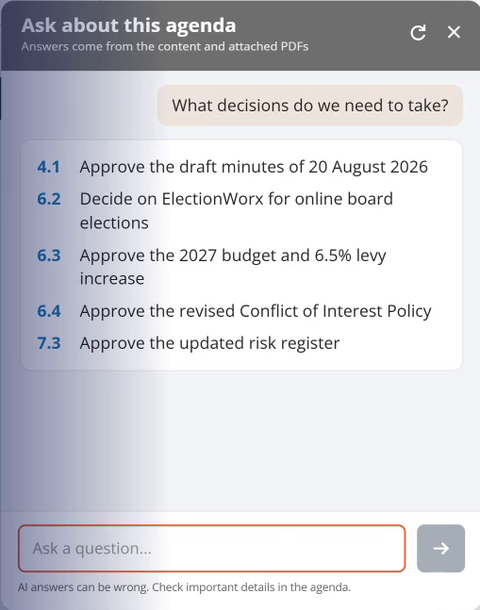
Pick the suggested question and get every item that needs your approval, numbered as they are on the agenda:

  • 4.1 Approve the draft minutes of 20 August 2026
  • 6.2 Decide on ElectionWorx for online board elections
  • 6.3 Approve the 2027 budget and 6.5% levy increase
  • 6.4 Approve the revised Conflict of Interest Policy
  • 7.3 Approve the updated risk register

Try: “What decisions do we need to take?”

AgendaWorx AI panel listing decision items 4.1, 6.2, 6.3, 6.4 and 7.3
The decision list, up close
3

Just for youKnow what you report on and give feedback on

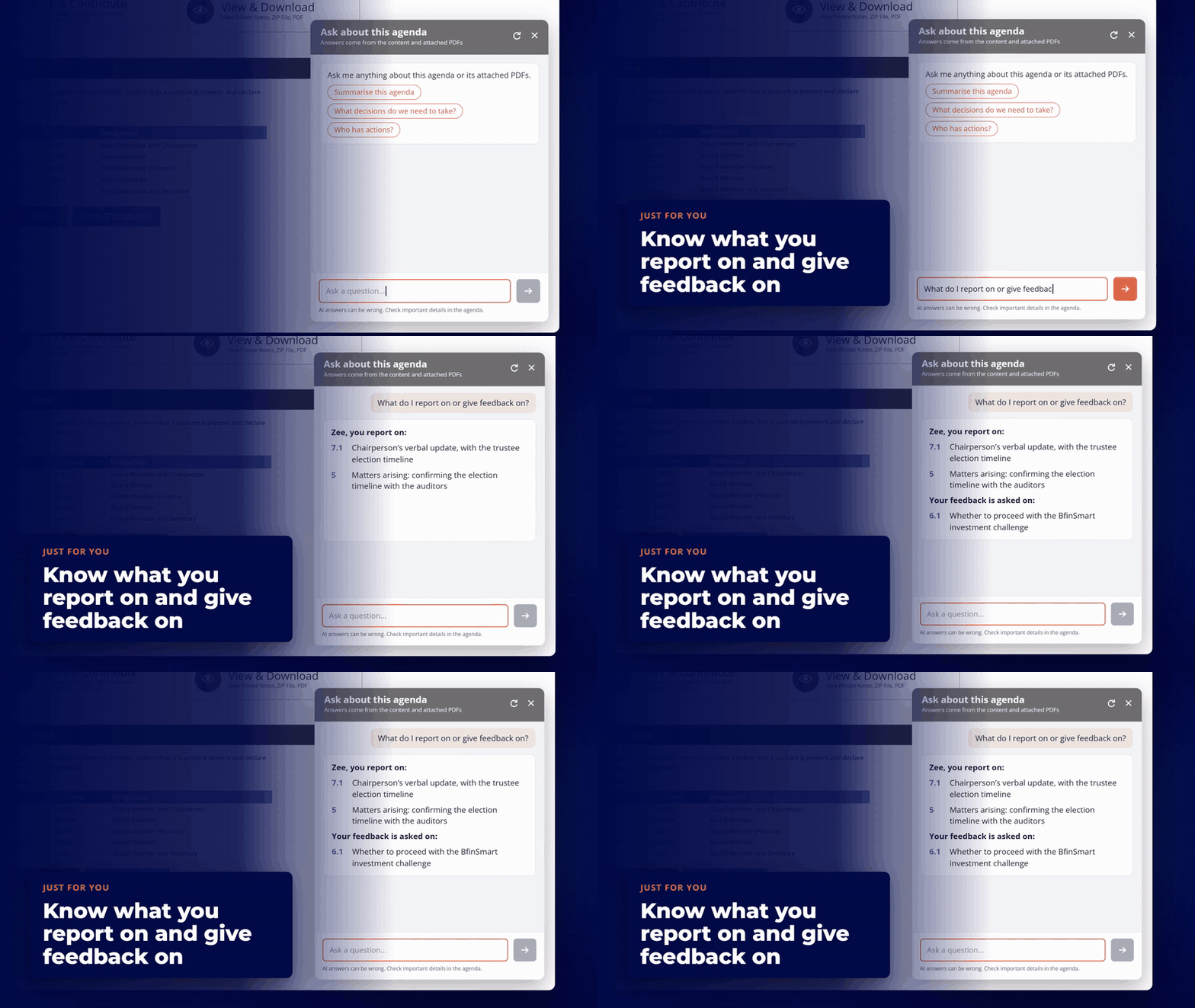
Animation: the member types What do I report on or give feedback on, and AgendaWorx AI lists Zee's report items and the item where feedback is asked

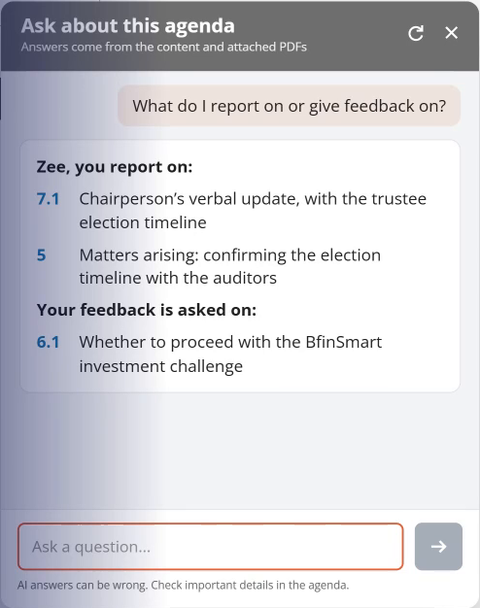
Ask in your own words. AgendaWorx AI knows who you are and points you straight to your part of the meeting. For Zee, the chairperson:

  • 7.1 Report: chairperson's verbal update, with the trustee election timeline
  • 5 Report: matters arising, confirming the election timeline with the auditors
  • 6.1 Feedback asked: whether to proceed with the BfinSmart investment challenge

Try: “What do I report on or give feedback on?”

AgendaWorx AI panel: Zee, you report on 7.1 and 5; your feedback is asked on 6.1
Your items, up close
How it works

Three steps. No learning curve.

Watch where to click, then try it on your next agenda.

Walkthrough animation: open an agenda, click the orange AgendaWorx AI button at the bottom right or the Brief me on this agenda prompt, then pick a suggested question or type your own
A board meeting agenda open in AgendaWorx

Open any agenda or minutes

Log in to AgendaWorx and open the agenda or minutes for your meeting.

Close-up of the Brief me on this agenda prompt and the orange AgendaWorx AI button, circled

Click the orange button

Look for the orange AgendaWorx AI button at the bottom right. Or click Brief me on this agenda for an instant brief.

The Ask about this agenda panel with suggested questions

Ask, or pick a suggestion

Choose a suggested question or type your own in plain words. The answer comes from the agenda and its PDFs.

Inside the panel

What you'll see when it opens

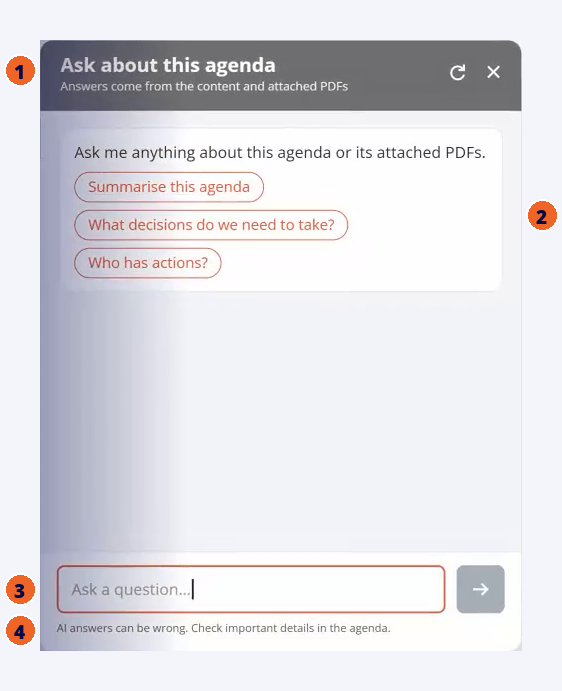
The Ask about this agenda panel with four numbered markers: header, suggested questions, question box and accuracy note
  1. Ask about this agenda

    The header reminds you that answers come from the agenda content and its attached PDFs.

  2. Suggested questions

    One tap for the questions members ask most: summarise this agenda, what decisions we need to take, and who has actions.

  3. Ask a question

    Type anything in plain words, such as “What do I report on or give feedback on?”, and press the arrow.

  4. Check the details

    AI answers can be wrong. Check important details, such as amounts and dates, in the agenda.

Safe and private

Your board information stays with us.

AgendaWorx AI does the reading. You make the decisions.

Private by design

AgendaWorx AI uses Claude via AWS Bedrock inside the AgendaWorx environment. None of your prompts or AgendaWorx information is sent to Anthropic: everything stays safely behind our firewall.

Answers from your pack

Every answer comes from the agenda content and the attached PDFs.

On every agenda and minutes

The same orange button, wherever you are in AgendaWorx.

You have the final word

AI answers can be wrong, so check important details such as amounts and dates in the agenda.

Questions

AgendaWorx AI: frequently asked questions

What is AgendaWorx AI?

AgendaWorx AI is an assistant on every AgendaWorx agenda and set of minutes. You ask your agenda anything and it answers from the agenda and its attached PDFs: briefs, decisions and your own items.

How do I open AgendaWorx AI?

Open an agenda or minutes in AgendaWorx and click the orange AgendaWorx AI button at the bottom right of the page, or click “Brief me on this agenda”. The “Ask about this agenda” panel opens beside the agenda.

What is in the one-click brief?

The meeting date, time and venue, the decisions to be taken, key figures from the reports, and the closing business, such as dates to choose for the next meeting.

Can AgendaWorx AI list the decisions we need to take?

Yes. Ask “What decisions do we need to take?” and AgendaWorx AI lists every decision item with its agenda number.

Can AgendaWorx AI tell me what I report on?

Yes. Ask “What do I report on or give feedback on?” and AgendaWorx AI lists, by name and item number, the items you report on and the items where your feedback is asked.

Does AgendaWorx AI read the attached PDFs?

Yes. Answers come from the agenda content and the attached PDFs, such as financial reports, policies and minutes.

Can AgendaWorx AI answers be wrong?

AI answers can be wrong. Check important details, such as amounts, dates and the wording of resolutions, in the agenda itself.

How do I get a demo of AgendaWorx AI?

Email support@agendaworx.com to book a demo or a hand-held session.

Powered by inSite
Sitemap | Disclaimer | Privacy Policy | Terms of Use